How to Close Out Tips at the End of a Restaurant Shift
How to close out tips at the end of a shift: a 5-step closeout sequence with a worked example, a printable sheet, and the mistakes behind payout fights.
It's 11:40, the last table just walked, and three people are standing at the POS waiting on a number. Everybody wants to get paid and go home. So the closer eyeballs the tips, splits them on a phone calculator, and hands out cash. Two days later a busser says she came up short, and nobody wrote anything down.
That's the real cost of a sloppy tip closeout. Not the ten minutes. The argument you can't settle because there's no record.
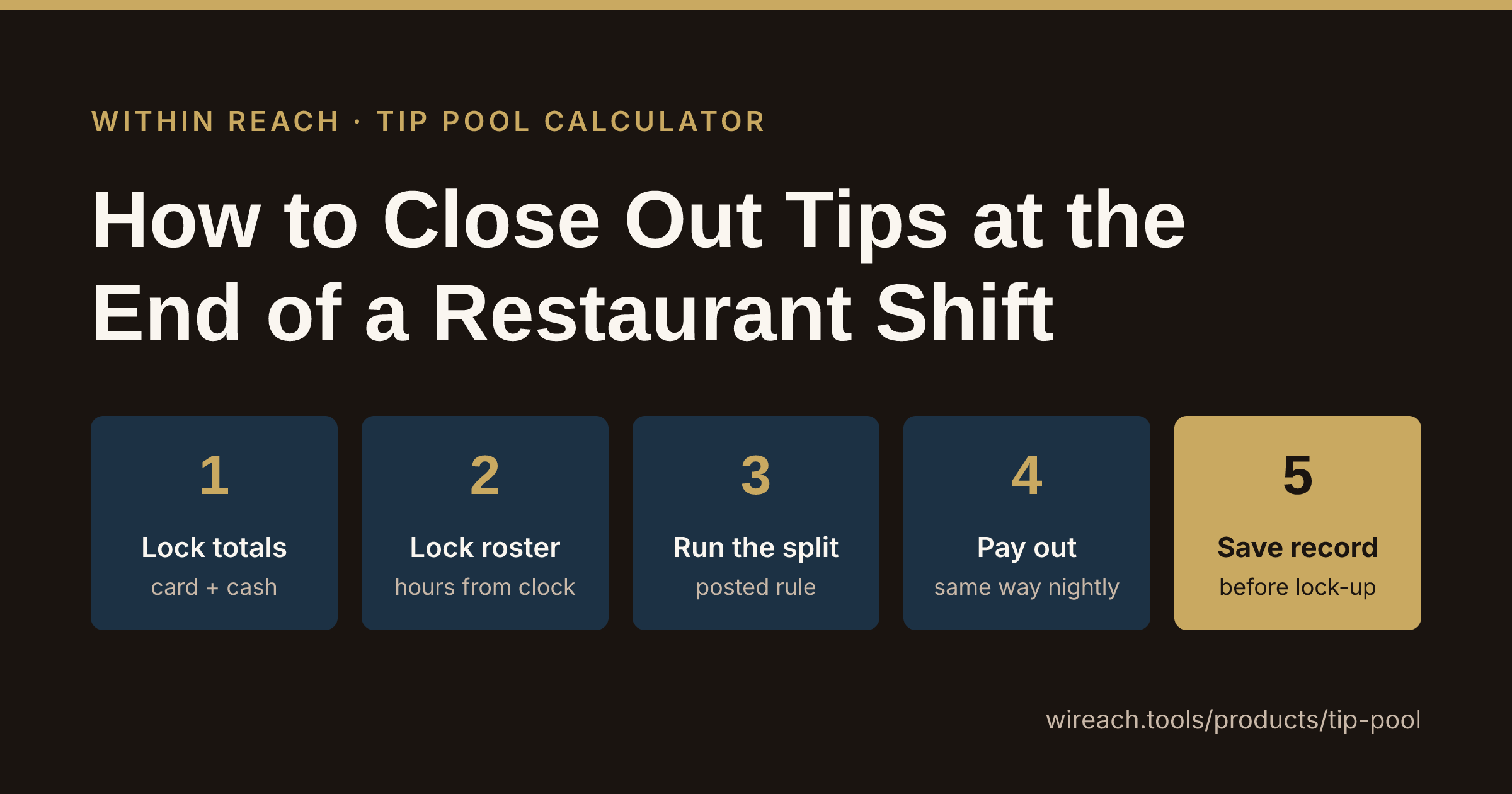
Closing out tips is a sequence, not a judgment call. Run the same five steps in the same order every night and the math stops being a fight. Below is how to close out tips at the end of a shift, with one real night worked all the way through, a sheet you can print tonight, and the mistakes we see closers make most.
Step 1: Lock the totals before anyone touches cash
Your closeout starts with two numbers. You need both before you split anything.
- Card tips. Pull the tip total off the POS shift report. The system already captured it, so it's your anchor.
- Cash tips. Count the cash tips on hand. Then count them again. This is where variances hide.
Here's the night we'll carry through the rest of this article:
- Card tips from the POS: $964.00
- Cash tips, counted twice: $211.00
- Total pool: $1,175.00
Write that total down before you do a single calculation. Once cash starts moving it's close to impossible to rebuild.
If the cash doesn't match what the tickets say it should, stop. Recount, then look for a tip rung on the wrong check or a cash sale that never got entered. Put the gap on the sheet before anybody gets paid. A documented variance is a note. A hidden one turns into an accusation on a bad week.
Step 2: Lock the roster and the hours
The pool splits by who was on the floor, so the roster gets locked next, on the same sheet as the totals.
For everyone who shares in tips, write down name, role, and hours (or points, if your rule uses role weight). Pull hours from the time clock, not from memory. Our example night:
| Role | Hours |
|---|---|
| Server 1 | 7.0 |
| Server 2 | 6.5 |
| Bartender | 6.0 |
| Busser | 5.0 |
| Runner | 4.5 |
| Total | 29.0 |
This is the step people rush, and it's the one that decides the split. A missed half hour on the runner is real money to the runner.
Step 3: Run the split by the rule you already posted
The rule gets decided before the shift, never at the counter. At close you're applying a rule, not inventing one. If it isn't written down and posted yet, our guide to running a restaurant tip pool without the drama covers setting it up.
Our example uses an hours-weighted split. Divide the pool by total hours to get the hourly rate, then multiply each person's hours:
- $1,175.00 ÷ 29 hours = $40.517 per hour
- Server 1: 7.0 × 40.517 = $283.62
- Server 2: 6.5 × 40.517 = $263.36
- Bartender: 6.0 × 40.517 = $243.10
- Busser: 5.0 × 40.517 = $202.59
- Runner: 4.5 × 40.517 = $182.33
Now add the payouts back up: $1,175.00. If your sum lands a cent off, decide once where the extra cent goes (the longest shift is a common call) and note it on the sheet. Adding it back up is the check that catches a fat-fingered number before it costs you trust.
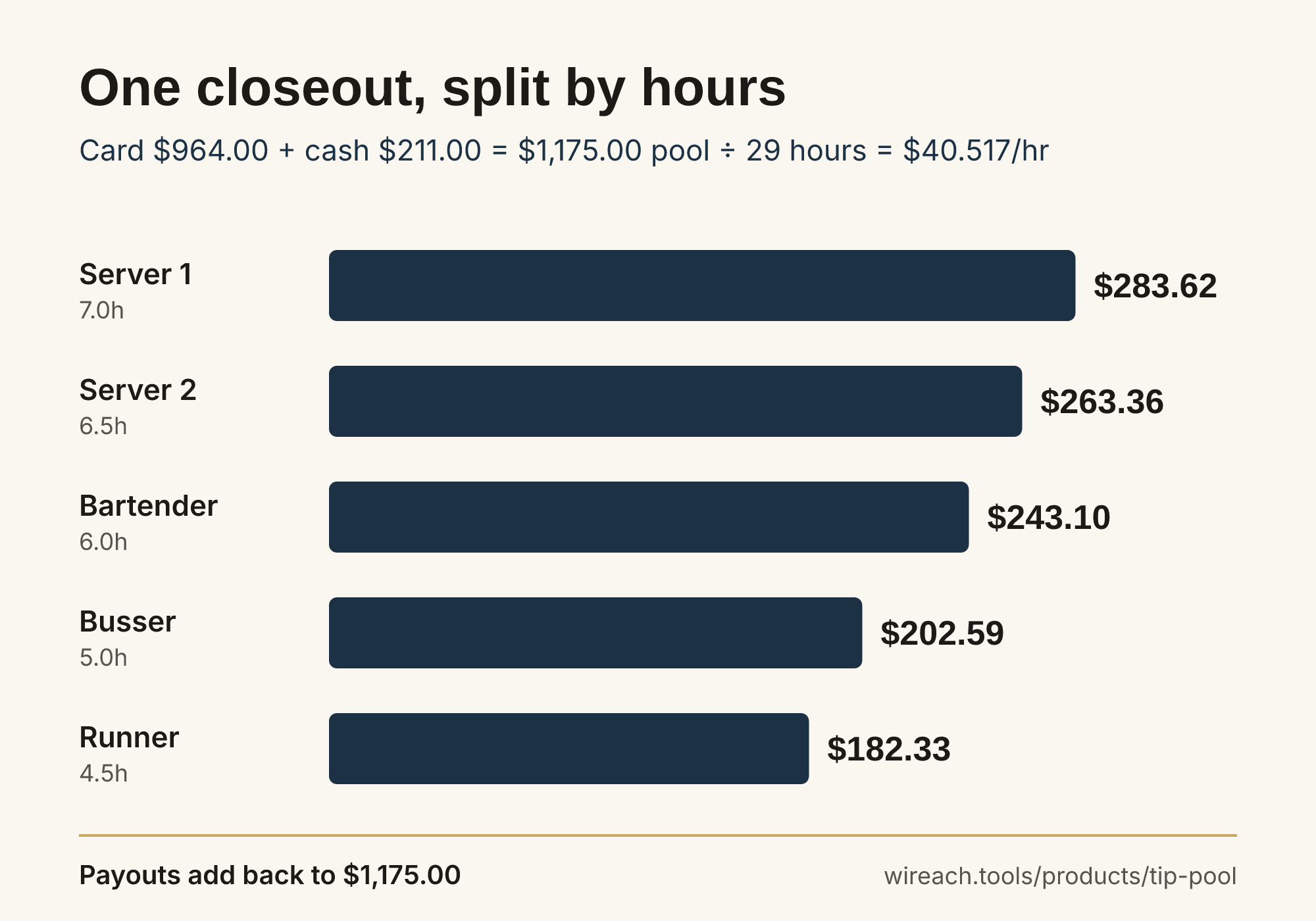 One night, one rule: $1,175 split by hours at $40.517 an hour
To check a night by hand before you pay it, the free tip pool calculator splits by hours and role. If you'd rather the closer never does this division at midnight again, the Tip Pool Calculator settles the night's pool in 3 taps and saves the shift.
Who is allowed in a pool is set by federal and state rules that change and vary by location. Confirm yours with your labor counsel or state labor agency. This article covers running the closeout, not what the law allows.
Step 4: Pay out the same way every night
Decide once how each type of tip goes out, cash that night or on the paycheck, then never improvise it at the counter. Write the method on the sheet.
When you hand out cash, show each person their line: hours, rate, amount. Thirty seconds of "here's your number and here's why" beats a callback on Thursday.
Step 5: Save the record before you lock the door
This is the step that protects you, and it's the first one a tired closer skips. The record needs the date and shift, card and cash broken out, the pool, each person's hours, each payout, any variance note, and who ran it.
Keep it somewhere it can't vanish into a drawer of receipts. The night a payout gets questioned, you pull one record and the question is over. If tips are already one line on your closing checklist, Daily Ops logs cash on the closing checklist and emails a summary at close, which keeps the drawer and the tip sheet telling the same story.
What usually goes wrong at closeout
We've watched every one of these happen on a real close:
- Cash goes out before the card total is in. The closer pays cash tips off a guess, then the card number comes in higher or lower and somebody is now owed or over. Fix: nothing leaves the drawer until Step 1 is written down.
- Someone leaves early and gets paid off a rough number. The runner clocks out at 9 and wants cash now. Fix: early leavers get paid at closeout with everyone else, or the next day off the saved record. No side math.
- Hours from memory. "She was here about six" turns into a fight when the clock says 5.5. Fix: pull hours from the time clock every time.
- The rule bends after a big night. Changing the split because Saturday was huge is the fastest way to lose the room. Fix: the posted rule runs every shift until you change it in writing, ahead of time.
Your end-of-shift tip closeout sheet
Print it, tape it by the POS, fill it in every night in order.
TIP CLOSEOUT    Date: ________   Shift: ________

1. CARD TIPS (POS report):          $________
2. CASH TIPS (counted twice):       $________
3. TOTAL POOL (1 + 2):              $________
4. VARIANCE NOTE (if any): _____________________

5. ROSTER   name / role / hours (time clock)
   ____________________________________
   ____________________________________
   ____________________________________
   TOTAL HOURS:                     ________

6. RULE APPLIED:  [ ] hours  [ ] role  [ ] other: ______
7. RATE (pool / total hours):       $________

8. PAYOUTS  name / amount
   ____________________________________
   ____________________________________
   ____________________________________
   SUM OF PAYOUTS (must equal 3):   $________

9. PAYOUT METHOD:  [ ] cash tonight  [ ] payroll
10. CLOSED OUT BY: ____________   TIME: ______
If line 8's sum matches line 3 every night, your closeout is clean. What's left is how long lines 7 and 8 take by hand.
Let the Tip Pool Calculator run the split
Counting and the roster go fast. The grind is the math in Step 3 and the record in Step 5, and that's the part worth taking off the closer's plate. The Tip Pool Calculator is built for that moment. Enter the night's card and cash tips, add who worked with their role and hours, and it returns every payout, hours-weighted or a flat split by role. Each shift saves to history, and you can export to CSV when payroll or an owner asks.
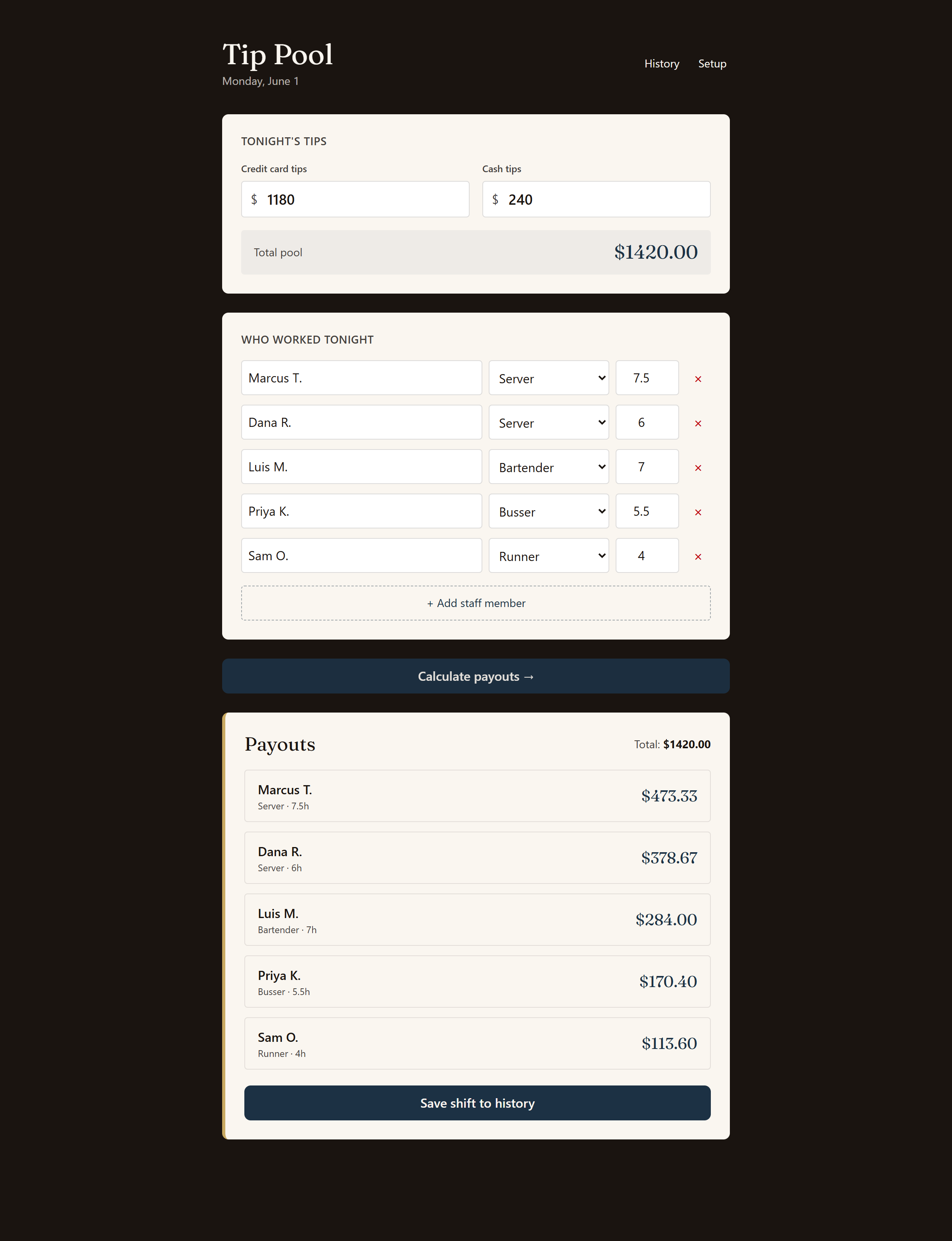 A real closeout in the app: card and cash tips in, roster entered, every payout returned
It's $9 a month with a 14-day free trial, and it's part of the WRI Starter suite.
Same five steps, every night, one saved record. That's how the end-of-shift tip argument stops happening.
Frequently asked questions
How do you close out tips at the end of a restaurant shift?
Pull the card tip total from the POS, count cash tips twice, lock the roster with each person's hours or role, run the split by the rule you posted before the shift, then pay out and save the record the same night.
What order should a tip closeout happen in?
Totals first, then roster, then the split, then payout, then the saved record. Paying out cash before the card total and roster are locked is the most common way closeouts go wrong.
What should a tip closeout record include?
The date and shift, card and cash tips broken out, the total pool, each person's hours or role, each payout amount, any variance note, and who ran the closeout.
What do you do if cash tips don't match what you expected?
Stop before paying anyone. Recount the cash, check for a tip rung on the wrong check or a cash sale that never got entered, and write the variance on the closeout sheet before money moves.
How long should closing out tips take?
With a fixed sequence and the math off your plate, a closeout runs a few minutes. The time usually goes to redoing the division by hand, not to counting.