Daily Ops · Standalone

Restaurant Opening and Closing Checklist App

The shift report that runs itself.

Opening, closing, mid-shift checklists for the things that matter. Auto-summary email lands in your inbox at close. You stop wondering what happened on the shift you weren't there for.

Built by an operator, for operators.A restaurant manager with 21 years of military service built this for his crew. Now it’s open to yours.Veteran-owned
25-second tour

See Daily Ops in action.

The shift report that runs itself.

The problem

The problem this fixes.

If you've run a restaurant for more than a year, you already know these. The question is what they're costing you.

Things get skipped.

You walk in Saturday morning. Walk-in temp wasn't logged. Safe wasn't dropped. Nobody admits anything.

No proof.

Checklists are signed but the work isn't verifiable. Did they really break down the slicer or just sign the line?

You're missing the shift you're not at.

Without a daily summary, your only intel is what the closer remembers to tell you tomorrow.

What it does

What Daily Ops actually does.

Per-shift checklists

Opening, mid, closing — each with its own list, its own owner.

Auto-summary email

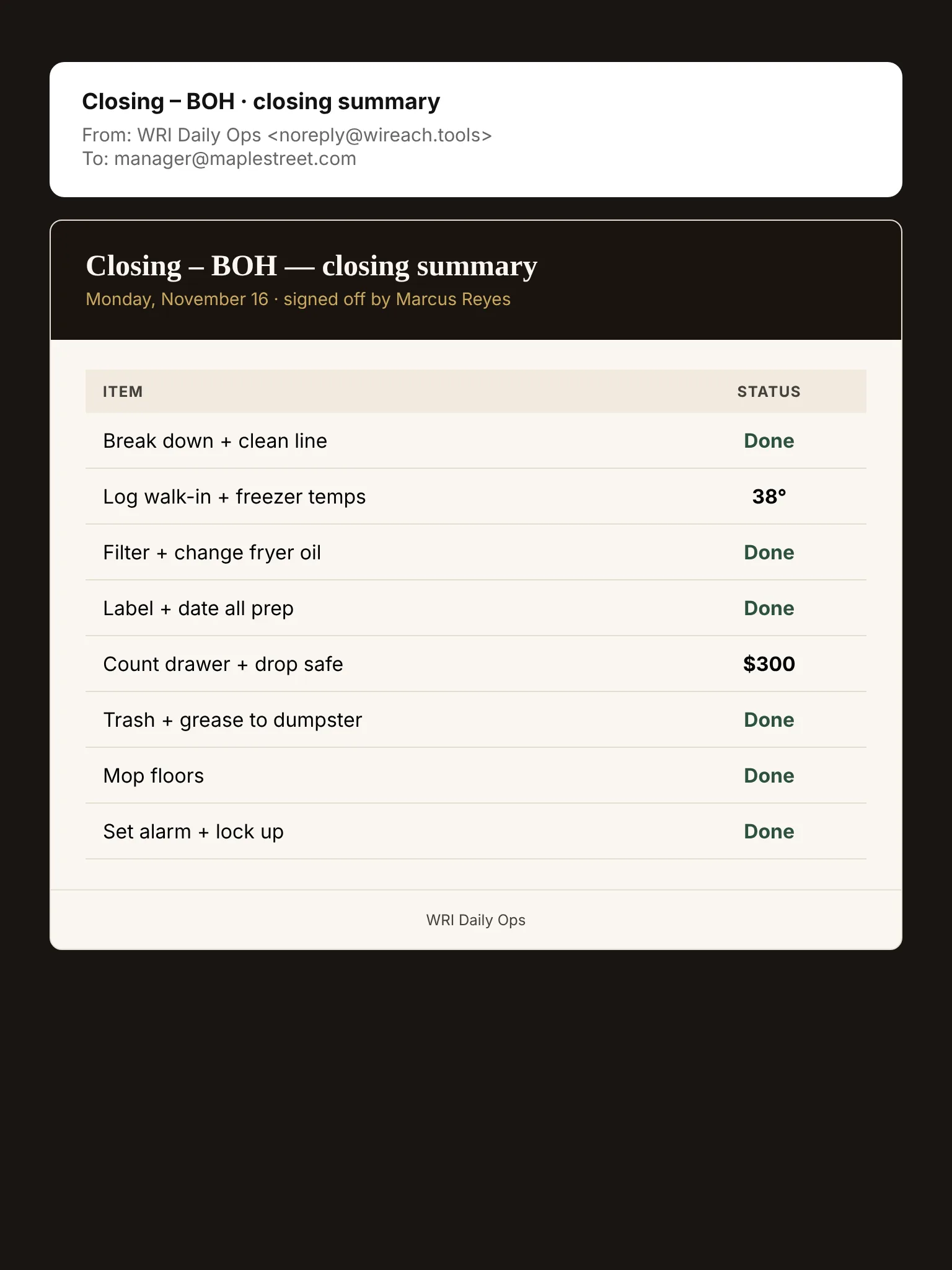
Every close triggers a one-page summary to your inbox.

Temperature logging

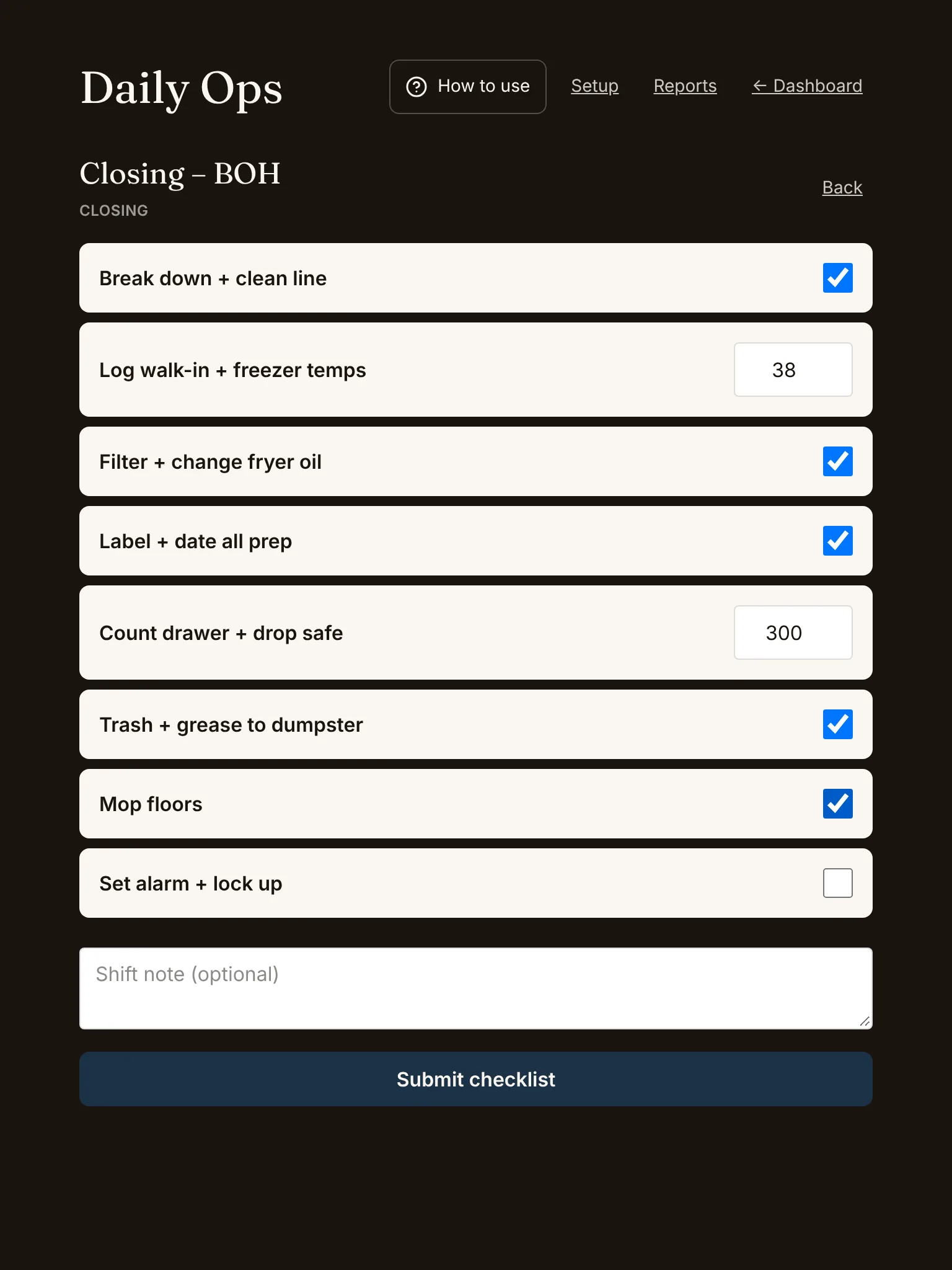
Walk-in, freezer, cookline temps logged right on the line.

Cash drop log

Drop amount, time, who logged it.

Printable shift report

Open any close and print it or save a PDF for your records.
Screens

What Daily Ops looks like on the floor.

Restaurant closing checklist app with temperature and cash drop logged
Closing checklist
Automatic end-of-shift summary email for restaurant managers
Close summary email
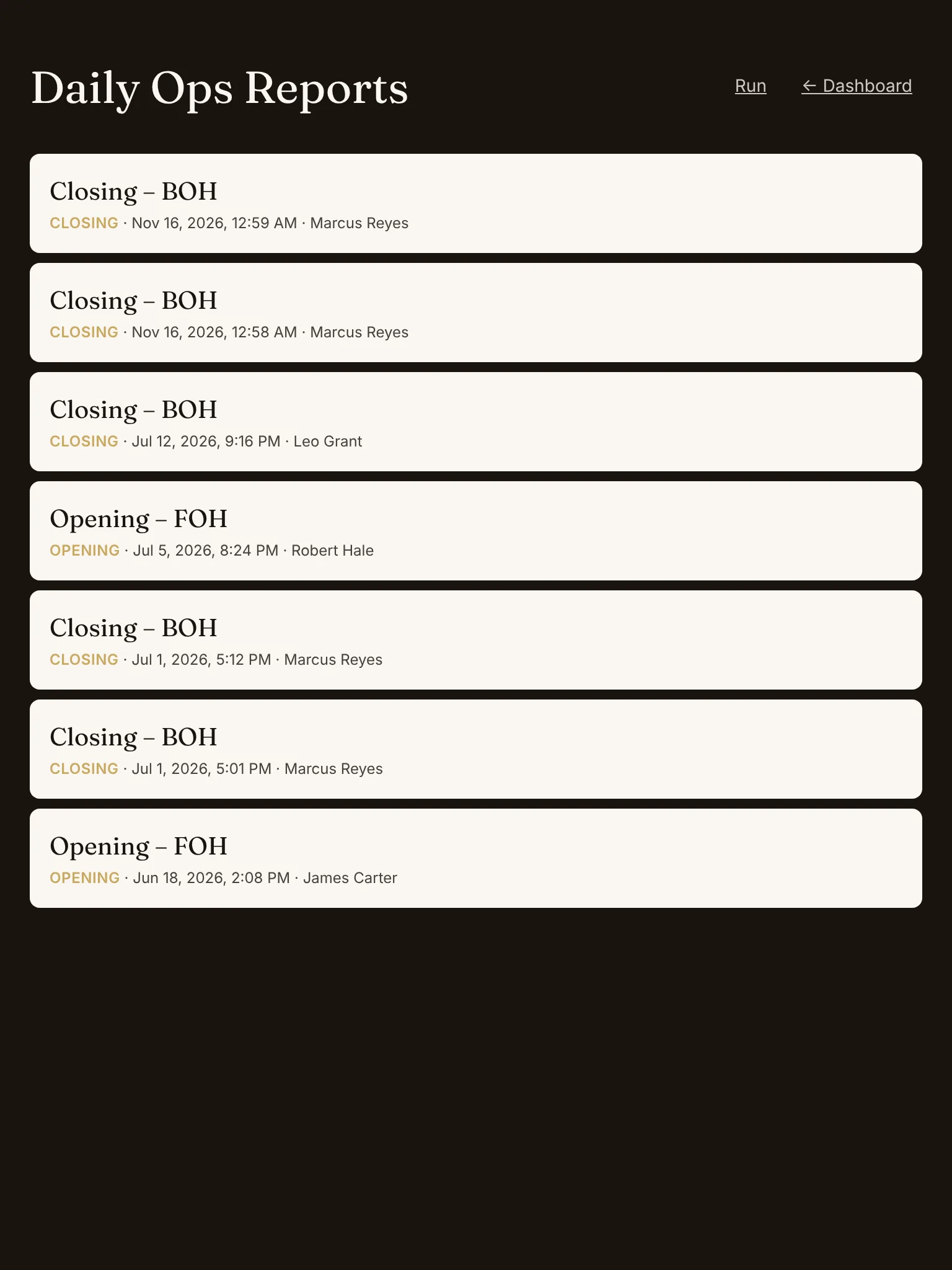
Daily ops reports listing every submitted checklist
Reports

Just need a quick number?

These free calculators do the math one time, no signup. The app is for running it every shift.

Common questions

Things operators ask before they sign up.

Is the 14-day trial really free? Do you need a card?
Yes, and no card is needed to start your first 14-day trial. Add a card before day 15 to keep going, or let it lapse and you're never charged. Cancel any time from your account with one click. No 'trial ending' upsell calls.
What happens if my internet goes out mid-shift?
Tip Pool, Par Tracker, No-Show and Daily Ops keep working. Entries save on your phone and send on their own when the connection comes back. Signing in and the first PIN check need a connection for a moment; Shift Swap and Audits & Repairs need one to post.
What about data security and ownership?
Your data belongs to you. Encrypted at rest (AES-256) and in transit (TLS 1.3). Daily off-site backups. Download all of it anytime from your dashboard as Excel or PDF. We never share or sell operator data.
Is there training, or do I just figure it out?
Each tool has built-in how-to content and step-by-step guidance inside the app, so you and your staff can pick it up without a manual.
How do I cancel?
One click from your account page. No phone call, no retention specialist, no 'are you sure' flow. Refunds within 30 days, no questions asked.
What kind of support do you offer?
Email support 7am–9pm CT every day at support@wireach.tools.
Who's behind WRI?
K. Pinckney, a restaurant operator who got tired of running a back-of-house on a clipboard and a stack of paper. He taught himself to turn every sheet into an app and built the 6 tools in WRI. Built initially for the restaurant he runs.
Free download

The 87-Item Restaurant Closing Checklist.

The exact list independent operators use to close clean every night. PDF, printable, no signup-then-trial trick. Just the checklist.

Enter your email and we'll send the free checklist. We'll occasionally email restaurant ops tips. Unsubscribe anytime.

PDF
The 87-Item Restaurant Closing Checklist
12 pages · printable

From the channel

Restaurant Closing Checklist: Everybody Signs, Nobody Does
How someone steals from you without touching the register
Your Closing Checklist Is Theater
Ready when you are

Run a better Friday night, starting tomorrow.

14 days free. $19/mo after that. Cancel any time with one click.

No setup fees · Cancel any time · 30-day refund